


11 Best WordPress Image Optimization Plugins
- Nov 23, 2020
- 3 min read
Images can improve your site experience, elevate your brand, and provide additional assets to use in promotion. However, unnecessarily large images can increase page load speeds, negatively impacting your SEO, SEO Irving, and frustration for your visitors.
You can mitigate these issues and enjoy all the benefits images have to offer by optimizing your images.
This is done by reducing image size and the way your site handles image loading. The process can be time-consuming if done manually, but WordPress users can use image optimizer plugins to streamline their efforts.
Best Image Optimization Plugins for WordPress
Smush Image
Optimus
EWWW Image Optimizer
ShortPixel Image Optimizer
Compress JPEG & PNG Images
Imsanity
Imagify
reSmush.it Image Optimizer
WP Retina 2x
Kraken.io Image Optimizer
WP Compress
Smush Image
1. Smush Image can optimize your images up to 1MB in size (or 5MB if you choose the paid version) individually or in bulk.
It is an easy plugin for beginners. If you install this plugin on an existing site, all you need to do to activate the plugin will be Settings > Media. Then, it will optimize all of your current images. Any new photos you upload will be optimized automatically as long as the plugin is installed.

2. Optimus
If bandwidth is your biggest concern, Optimus optimizes images up to 70% by uploading them to the Optimus server and sending you new, smaller versions to use on your site.
It does this without altering the quality of the images. The plugin automatically processes the photos as they are uploaded, and you have the option to stop the automatic optimization if you wish.

3. EWWW Image Optimizer
EWWW functions similarly to Smush Image in that it automatically optimizes images as you upload them to your site, and you also have the option to optimize previously uploaded pictures as well.
4. ShortPixel Image Optimizer
ShortPixel offers two different image compression solutions:
Lossless - Every bit of data gets compressed.
Lossy - The Image is reduced by eliminating redundant data, resulting in smaller file size.
The best part of this plugin is that it stores the original copy of the Image, making it easy to restore if needed.

5. Compress JPEG & PNG Images
Compress JPEG & PNG Images automatically optimizes your images by integrating with the popular image compression services TinyJPG and TinyPNG. These tools analyze the content of the image and choose the best compression strategy without compromising quality. This includes compressing metadata, distracting artifacts, and removing redundant data.

6 Imsanity
Imsanity is unique in that you can specify a max-width, height, and quality level. It will detect and compress any images that exceed those parameters, making it ideal for websites that have less-stringent image requirements across the board. It also offers a bulk resize feature for any previously uploaded images and can convert less optimized file types (such as BMPs and PNGs) to less bulky JPG formats.

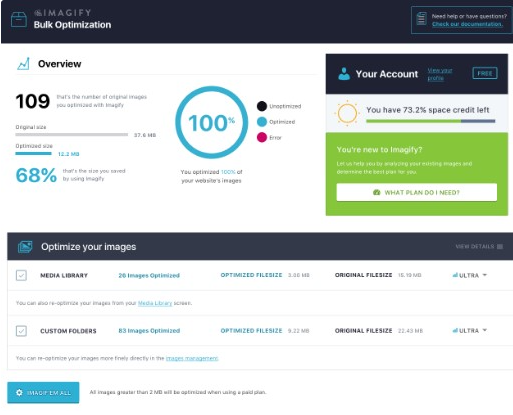
7. Imagify
Imagify is compatible with WooCommerce, NextGen Gallery, and other plugins, making it ideal for sites with many images that need to be compressed. Imagify works by shortening during the upload stage, and you can choose based on three levels of compression (normal, aggressive, and ultra), which gives you more power on the degree of quality and file size of its output. Besides, Imagify has a backup option where you can restore the original version at any time and begin again.
8 . reSmush.it Image Optimizer
This is the official WordPress plugin for the reSmush. It image compressor that supports WordPress and Drupal, Joomla, Magento, Prestashop, and more. It allows you to compress images up to 5MB for free, and you can bulk optimize pictures in just 2 clicks. It creates a copy of the original Image and works off that copy for compression, ensuring that you never lose the original. It also has a sliding scale for the optimization level.

9 WP Retina 2x
This plugin specializes in creating images for each device. It does this through its Responsive Images and PictureFill methods that make the image files required and then displays them to your visitors according to their device. It also offers Lazy Loading features, which further helps page load speeds.

10. Kraken.io Image Optimizer
This is the official plugin that works with Kraken.io's API. Kraken offers image optimization in addition to other features such as a Page Cruncher and Dropbox compatibility. The plugin automatically resizes images upon upload based on designated maximum dimensions, and it has a bulk action menu to handle multiple images in one go. Optimization is performed through Kraken's infrastructure and adding the output to your WordPress library.

11 . WP Compress
WP Compress shrinks file sizes using local image optimization and live image optimization with adaptive images by device, retina device support, and image lazy loading. It also uses a CDN to serve images as fast as 7ms without making them so small, and it offers several features for agencies who may be working with multiple client sites.

By optimizing your site's images, you're taking an essential step toward better SEO and an improved user experience for your website visitors.

Comments